

General-purpose tools like GitHub Copilot and ChatGPT are fantastic for a wide range of programming needs, but they can fall short when handling niche, cloud-related tasks.
There is a specialized AI tool designed specifically for this, which changes the way we work and develop applications on the cloud: Amazon Q Developer.
While Amazon Q Developer can assist with everyday coding tasks such as code generation or syntax fixes, its real strength lies in the cloud. It doesn't just help with general programming processes; it simplifies working with AWS infrastructure, from configuring Lambda functions to optimizing S3 storage settings, providing support for cloud engineers.
Developed by Amazon, this AI assistant leverages AWS's cloud infrastructure and machine learning models.
It spans from code completion and security audits to architectural recommendations and upgrade suggestions, assisting developers in working more efficiently, securely, and intelligently within the AWS ecosystem.
In this article, we’ll focus on Amazon Q Developer. ✨
What is Amazon Q Developer?
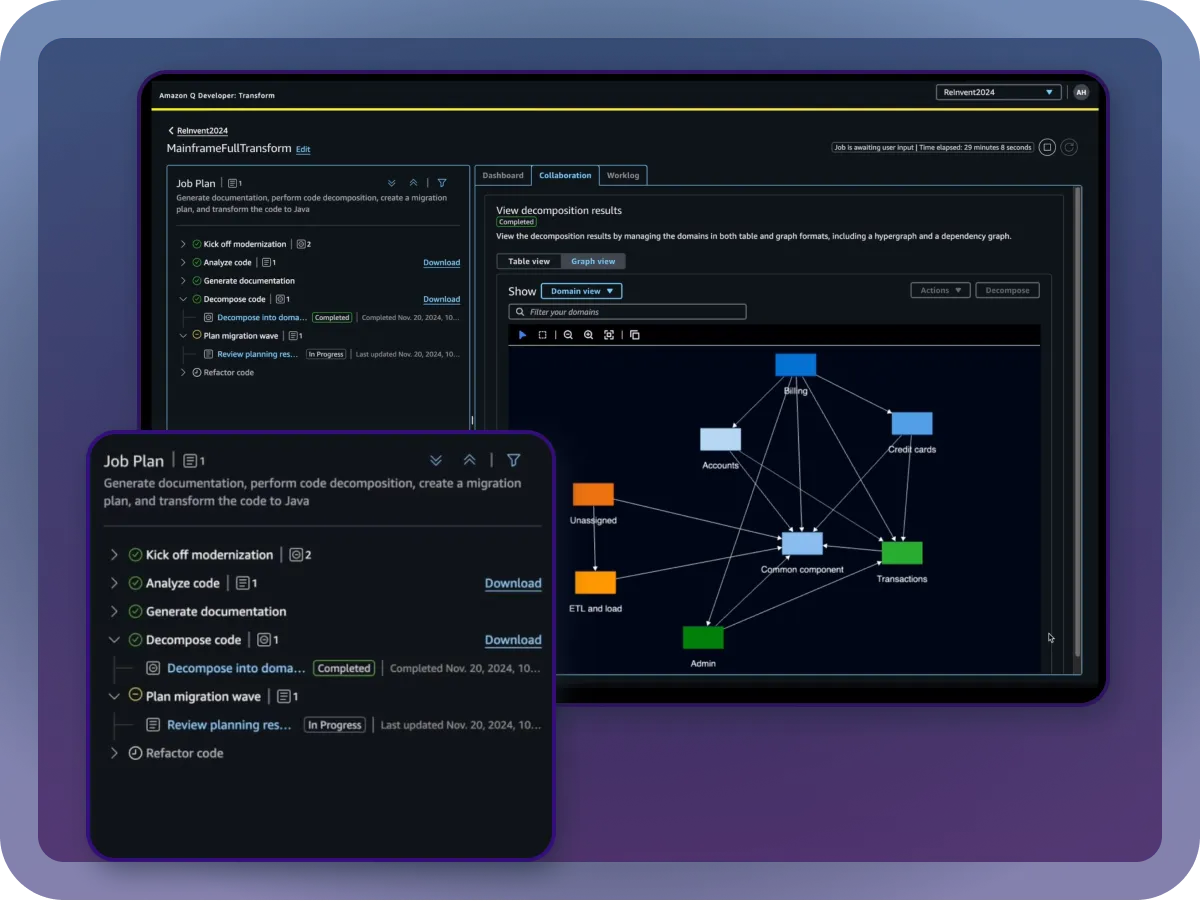
Amazon Q Developer is a generative AI-powered assistant that helps with both coding and cloud infrastructure management tasks.
You can use Amazon Q Developer for anything from simple chats to complex software development suggestions. It is highly effective in speeding up cloud integration and development processes.
Moreover, since it is part of the Amazon Web Services (AWS) ecosystem, it integrates seamlessly with other AWS services.
In short;
- You can ask Amazon Q Developer questions about AWS. It's essentially a perfect tool for gathering information about AWS services.
- It can provide intelligent suggestions based on the code you write and help accelerate the development process.
- Amazon Q Developer can detect security vulnerabilities in your code, suggest solutions, and even automatically fix them if needed.
- It can also help with upgrading applications to new versions.
Installing Amazon Q Developer on Visual Studio Code
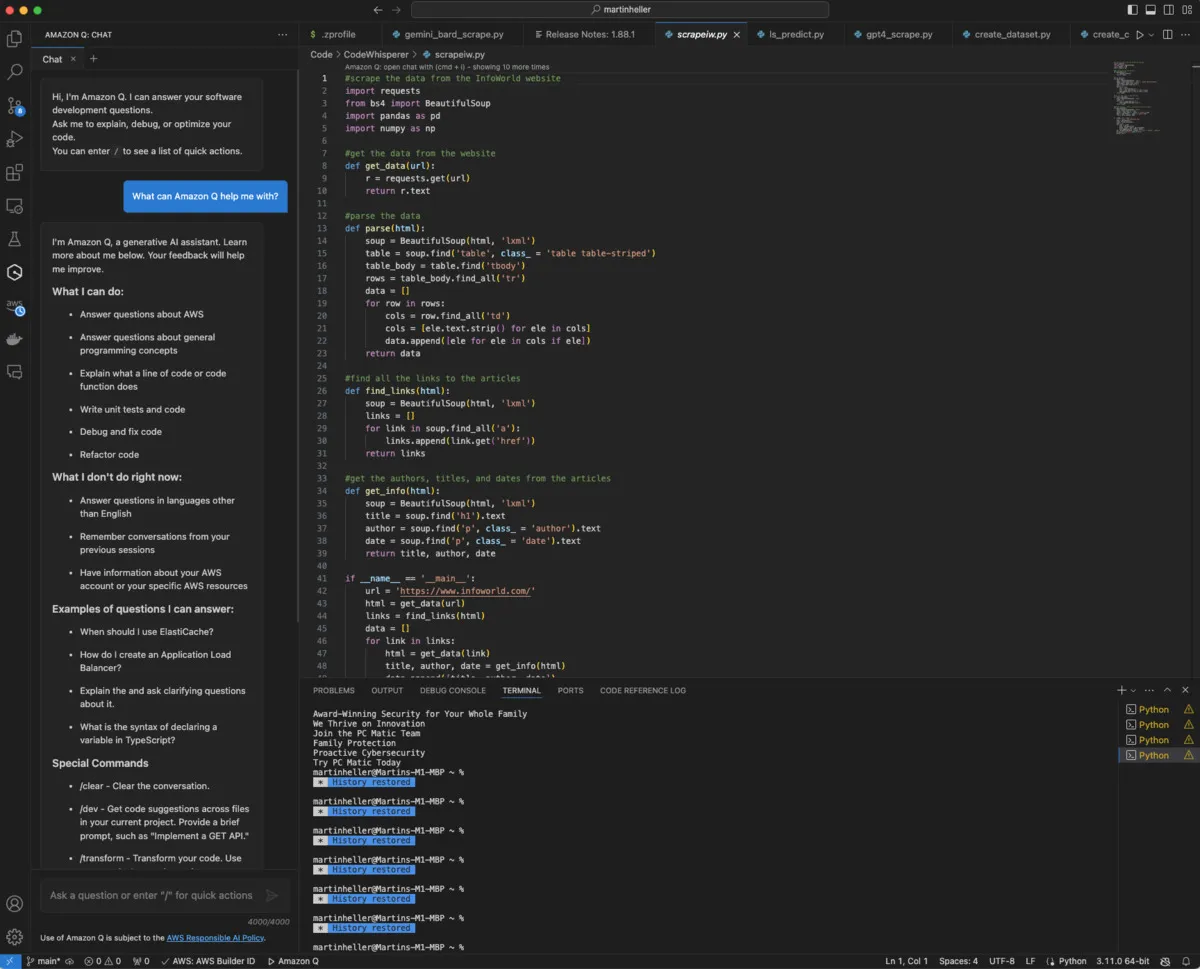
To install Amazon Q Developer on Visual Studio Code, follow these steps:
- Go to Extensions (Ctrl+Shift+X), search for "Amazon Q Developer," and install the relevant extension.
- After installation, you'll need to authenticate using OAuth, either via your AWS Builder ID or IAM Identity Center.
- Once authenticated, you can find Amazon Q Developer in the activity bar of VS Code.
Key Features of Amazon Q Developer
While tools like GitHub Copilot and ChatGPT dominate the AI tool market, we may not be as familiar with the core features of Amazon Q Developer. However, we will likely realize what Amazon Q Developer offers only when faced with an AWS-related issue. But Amazon Q Developer isn't limited to this, so let's take a closer look at its features:
- Context-Aware Code Generation
Amazon Q Developer can generate code from natural language commands. For example, if you type "Create a function that lists S3 buckets" into the IDE, Q will suggest a complete boto3 function that matches the project context and AWS best practices. - Real-Time Code Testing and Execution
Amazon Q Developer tests the generated code in a secure sandbox environment. This allows you to verify the AI-generated code before integrating it into your project, reducing the likelihood of errors. - Automated Documentation
Writing documentation can often be tedious, but Amazon Q Developer can automate this process. It can help generate all the README files and technical documentation you need. - Code Review
The /review command in Amazon Q Developer performs automatic code reviews, which helps detect security vulnerabilities.
Differences Between Amazon Q Services
It’s important to clarify that Amazon Q isn’t just a single service. It consists of two distinct tools designed for different purposes:
- Amazon Q Business: Aimed at creating chatbots that use data from multiple company sources to answer questions.
- Amazon Q Developer: Specifically designed to integrate AI-assisted coding help directly into IDEs, supporting software development and cloud infrastructure interactions.